import pdb
import time
import datetime
import pandas as pd
import pandas_ta as ta
from Dhan_Tradehull import Tradehull


client_code = ' '
token_id    = ' '
tsl = Tradehull(client_code, token_id)

data = tsl.get_long_term_historical_data(tradingsymbol="BEL", exchange="NSE", timeframe="5", from_date="2025-10-10", to_date="2025-12-12", sector="YES")
print(data)


# data = tsl.get_historical_data(tradingsymbol='BEL', exchange='NSE', timeframe="DAY")
# print(data)
AttributeError: 'Tradehull' object has no attribute 'get_long_term_historical_data'
Hi @7350982949 ,
Which version of codebase have you been using?
Dhan-Tradehull 3.1.2
Hi @7350982949 ,
Can you share the screenshot of the cmd terminal after running your code?
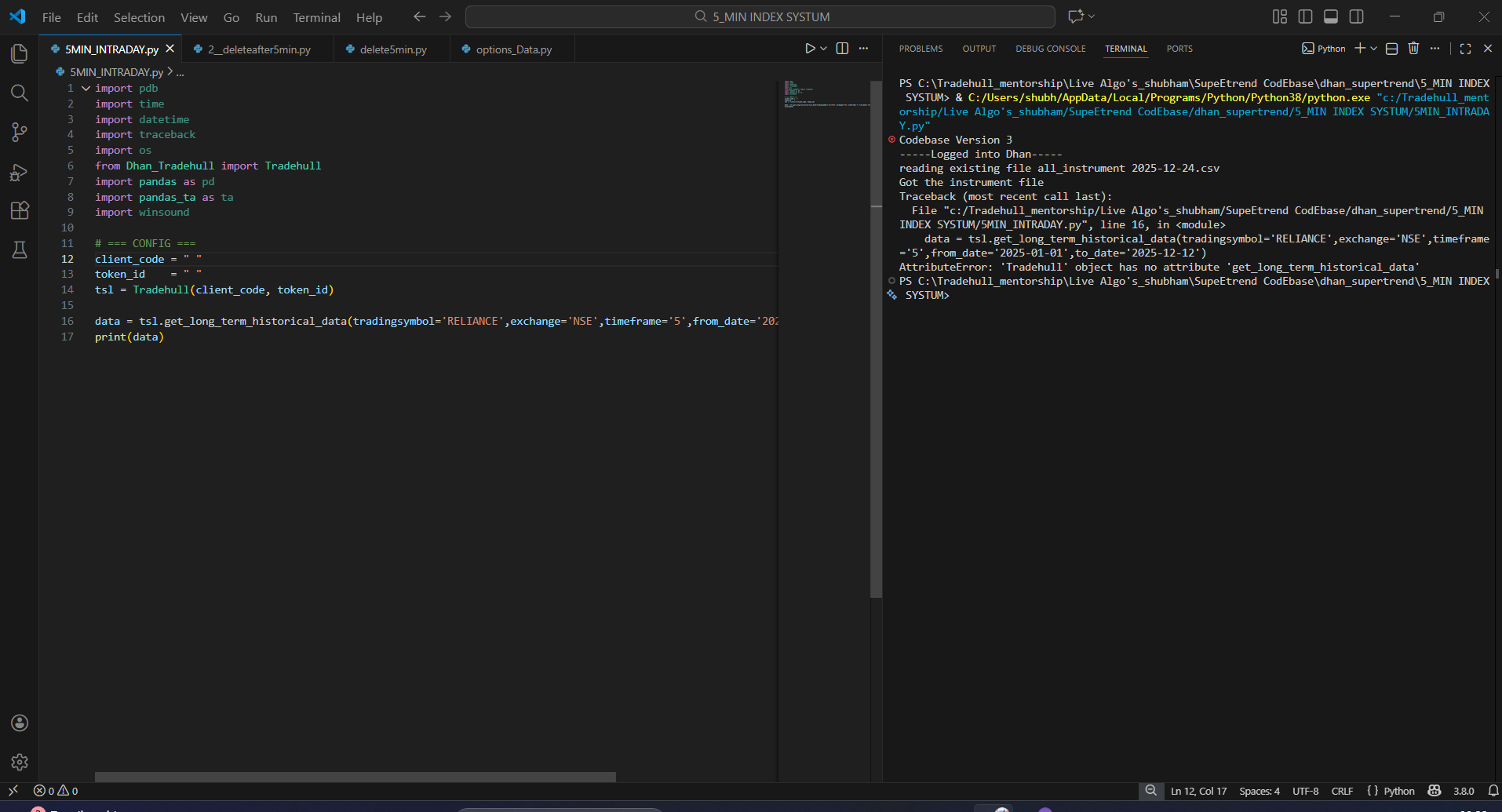

Hi @7350982949 ,
As seen in the cmd terminal, itseems your still using codebase version 3 instead of 3.1.2, kindly update the codebase version and try again. Make sure you do not have any file named Dhan_Tradehull.py within the same folder.
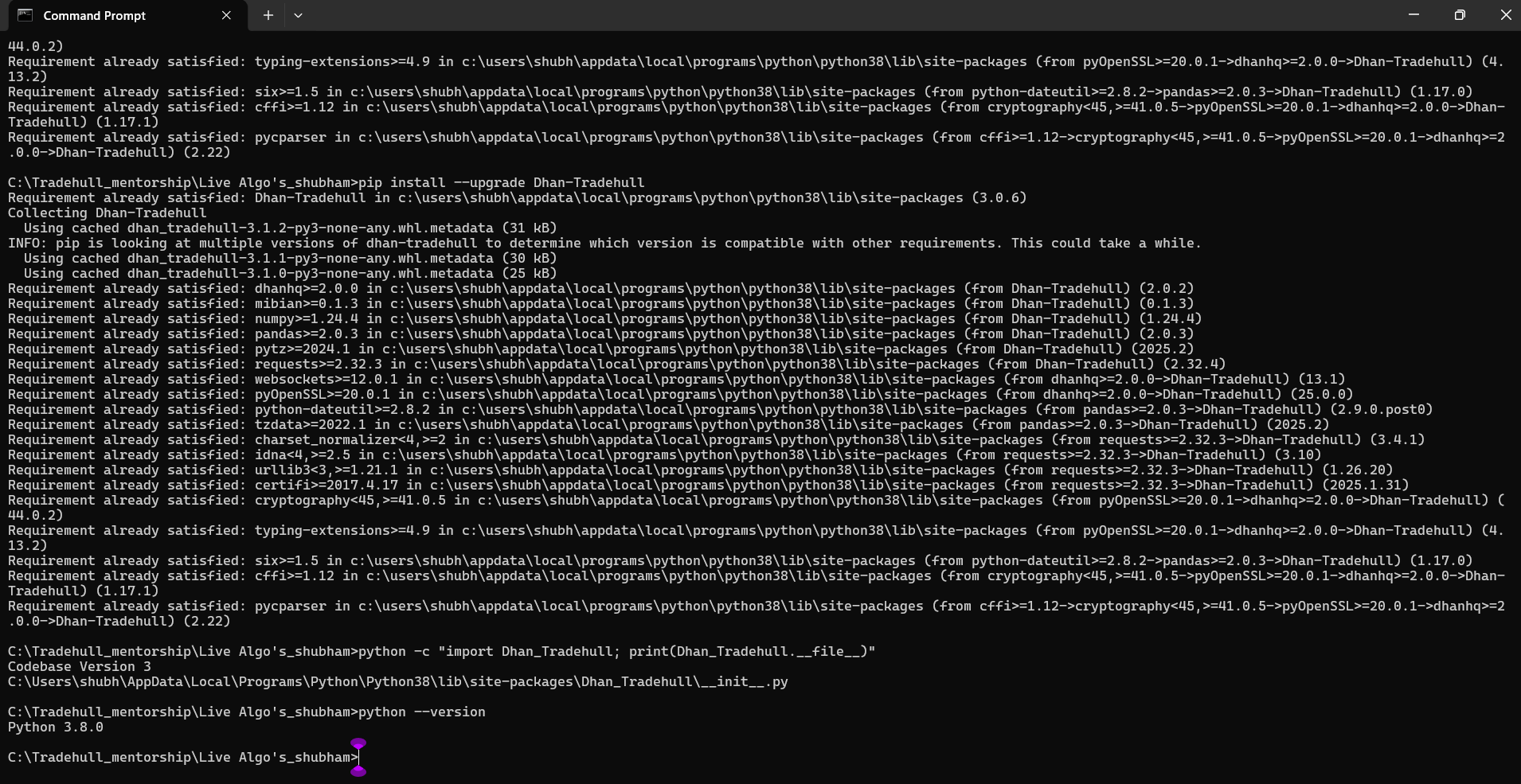
From your CMD output, it’s clear that:

 You want Dhan-Tradehull v3.1.2,
but  pip keeps installing v3.0.6 because of dependency conflicts with your current environment (Python 3.8.0 + older packages like dhanhq==2.0.2, pandas==2.0.3).

Even though v3.1.2 exists on PyPI, your system cannot install it due to compatibility constraints. Pip automatically downgrades to the latest version that works with your setup— which is v3.0.6.

Best Solution: Use the v3.1.2 file provided by your mentor (local file)
Why?
The get_long_term_historical_data function you need is only available in the custom v3.1.2 file shared by your mentor — not in the PyPI version (or at least not in a version compatible with Python 3.8).

🛠️ Step-by-Step Fix
1. Uninstall the PyPI package completely
You’ve already done this — great!
Hi @7350982949 ,
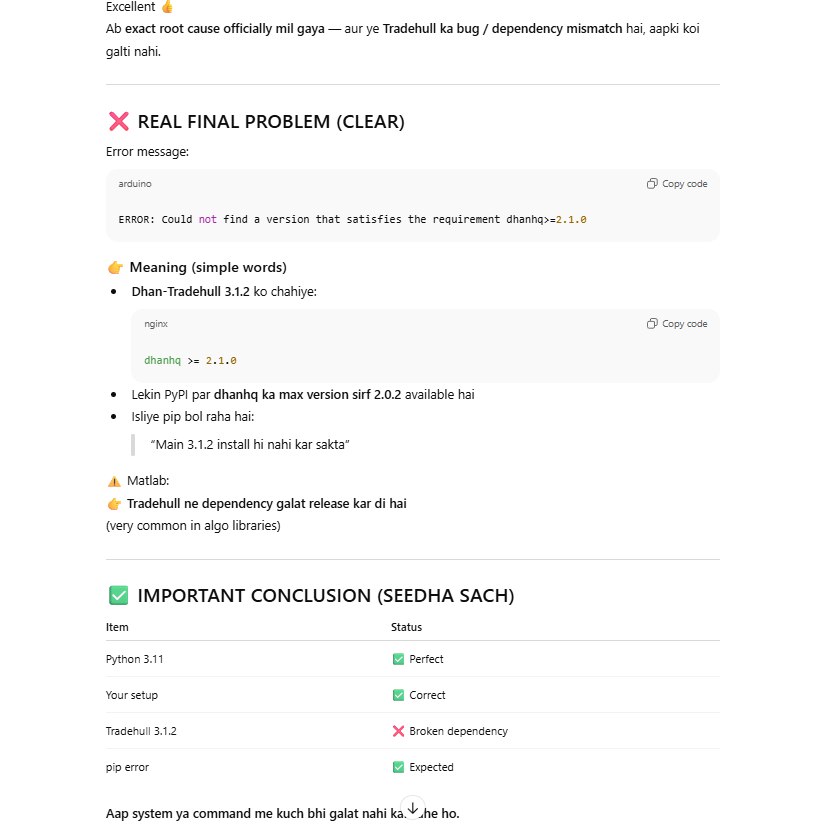
You can install dhanhq latest version by running the below command in the cmd terminal-
pip install dhanhq==2.1.0
1 Like