from Dhan_Tradehull import Tradehull

client_code = "1000649398"

# PASTE NEW TOKEN
token_id = "eyJ0eXAiOiJKV1QiLCJhbGciOiJIUzUxMiJ9.eyJpc3MiOiJkaGFuIiwicGFydG5lcklkIjoiIiwiZXhwIjoxNzc5NDI5NzU1LCJpYXQiOjE3NzkzNDMzNTUsInRva2VuQ29uc3VtZXJUeXBlIjoiU0VMRiIsIndlYmhvb2tVcmwiOiIiLCJkaGFuQ2xpZW50SWQiOiIxMDAwNjQ5Mzk4In0.XwL4gdfXxUA0XQBgC4Gxpg5KkT4gDo3qxSXwcWACqMlVdKY6xiyheJSTrKoXWz5U9JyMlPnT0nrkC4Zd6n-4_Q"

tsl = Tradehull(
    client_code,
    token_id,
    mode="access_token"
)

print("LOGIN SUCCESS")

orderid = tsl.order_placement(
    'YESBANK',
    'NSE',
    1,
    0,
    0,
    'LIMIT',
    'BUY',
    'MIS'
)

print(orderid)
S C:\Users\shubh> & C:/Users/shubh/AppData/Local/Programs/Python/Python311/python.exe "c:/Users/shubh/OneDrive/Desktop/Ammu sir stratergy/buying.py"
Mibian requires scipy to work properly
Codebase Version 3.3.0
Attempting authentication using ACCESS TOKEN.
reading existing file all_instrument 2026-05-21.csv
Already logged in for today, so reusing the token
Instrument file retrieved successfully
-----SUCCESSFULLY LOGGED INTO DHAN-----
LOGIN SUCCESS
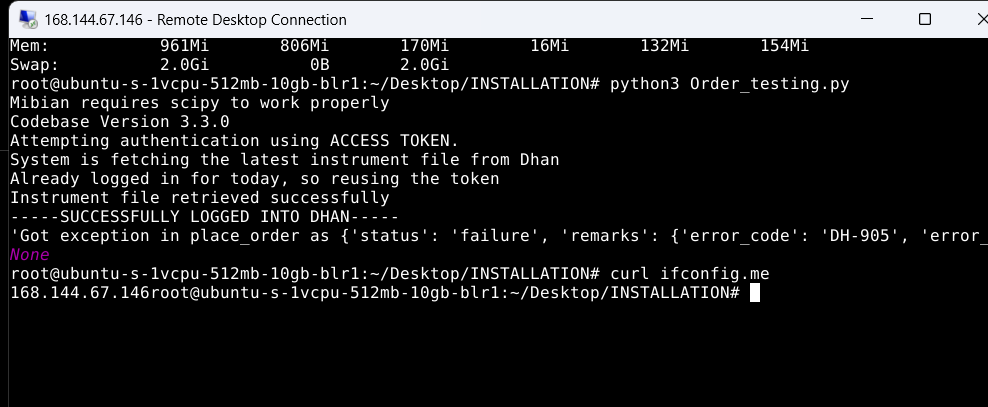
'Got exception in place_order as {'status': 'failure', 'remarks': {'error_code': 'DH-905', 'error_type': 'Input_Exception', 'error_message': 'Invalid IP'}, 'data': ''}
None
Application Name	Access Token	Time to Expiry	Status	Action
test130
eyJ0eXAiOiJKV1QiLCJhbGciOiJIUzUxMiJ9.eyJpc3MiOiJkaGFuIiwicGFydG5lcklkIjoiIiwiZXhwIjoxNzc5NDI5NzU1LCJpYXQiOjE3NzkzNDMzNTUsInRva2VuQ29uc3VtZXJUeXBlIjoiU0VMRiIsIndlYmhvb2tVcmwiOiIiLCJkaGFuQ2xpZW50SWQiOiIxMDAwNjQ5Mzk4In0.XwL4gdfXxUA0XQBgC4Gxpg5KkT4gDo3qxSXwcWACqMlVdKY6xiyheJSTrKoXWz5U9JyMlPnT0nrkC4Zd6n-4_Q
23 Hours , 42 Minutes	Active
Revoke
Hi Shubham
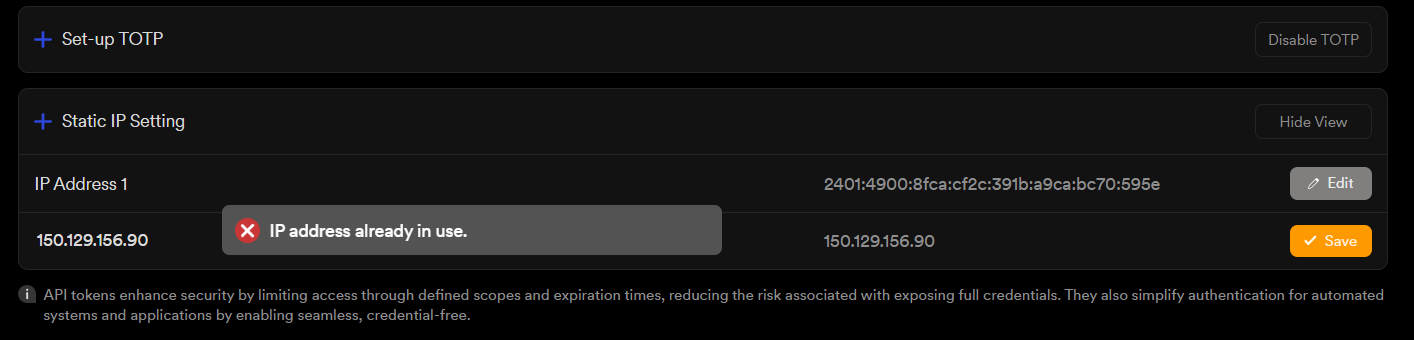
this is a static ip issue.
can you check if the static ip of the server is matching with that on Dhan terminal.
also do quick refer this video,
https://www.youtube.com/watch?v=EINZqpcn9Cw&t=24s
'Got exception in place_order as {'status': 'failure', 'remarks': {'error_code': 'DH-905', 'error_type': 'Input_Exception', 'error_message': 'Invalid IP'}, 'data': ''}
BUY ORDER ID : None
I did exactly as you did in the video, but i'm getting this error
Hi @7350982949 ,
Was this code executed from the same server and IP address that has been bound to your broker account?
imran sir tell me u r suggetion,
actually in the vedio you installed sudo on the server , the server get disconnectd while installing.. and you have to buy a server with more ram, will that also work or will you have to buy another server and is this better than aws
-
Is the server getting disconnected and so you are not able to use it. If yes do let us know server configuration
-
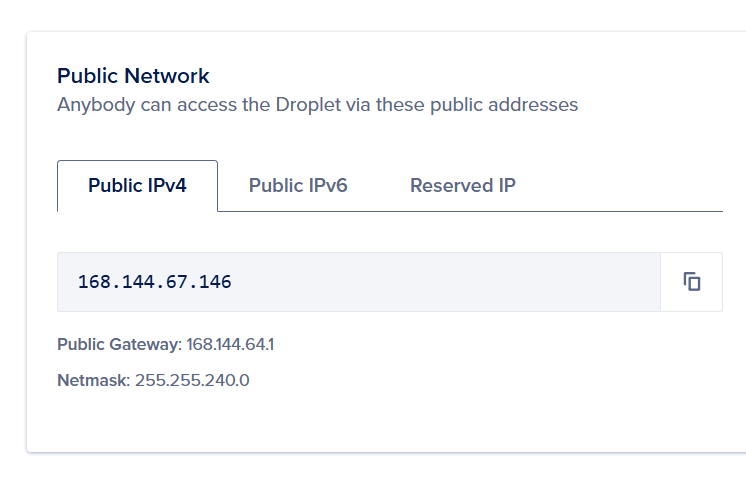
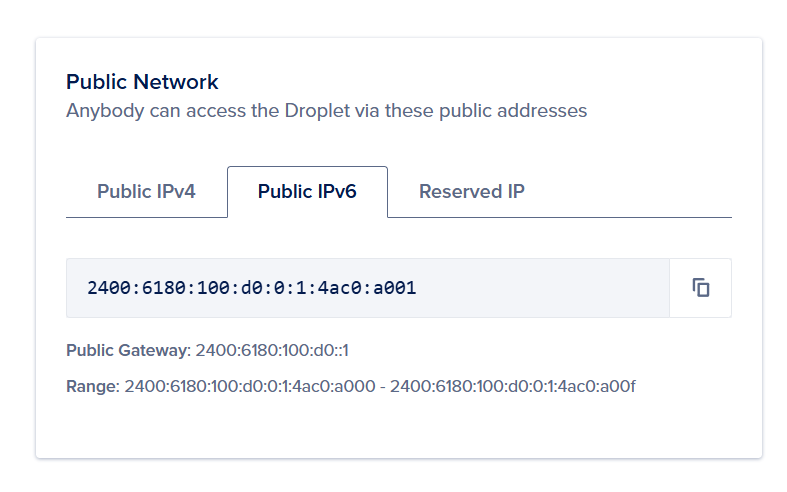
Also please share screenshot of Digitalocean > your droplet > networking . This will have details of Public IPv4, Public IPv6, Reserved IP.
and the screenshot of Dhan api panel > Static IP Setting
Ideally there shall be no IP issue after the server installation


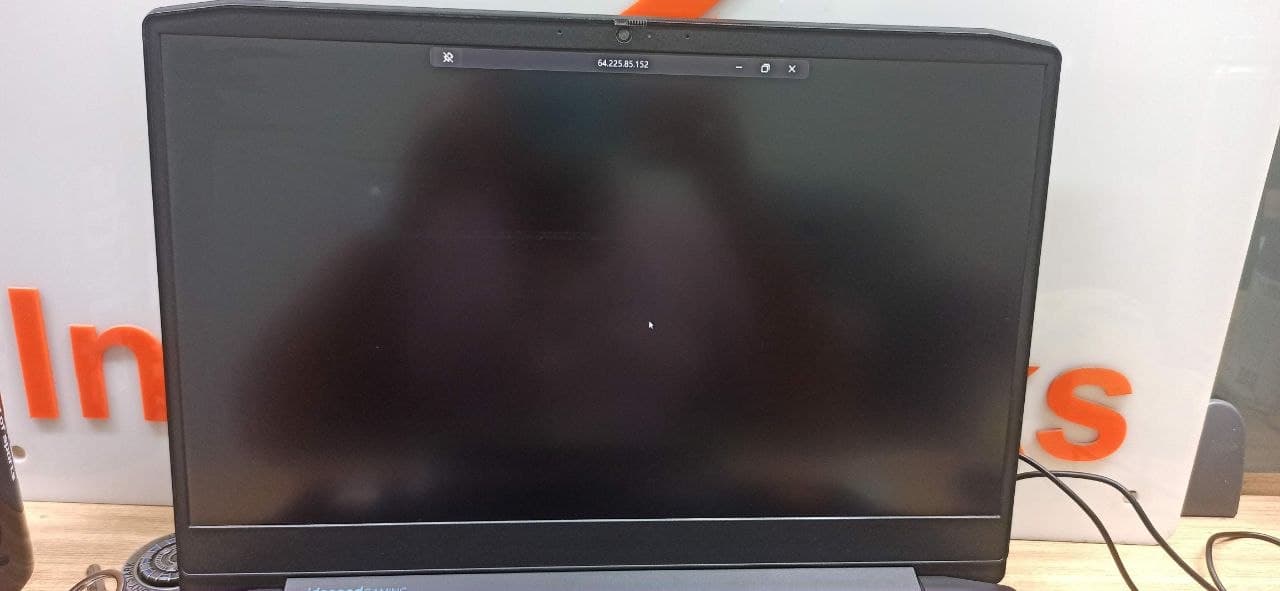
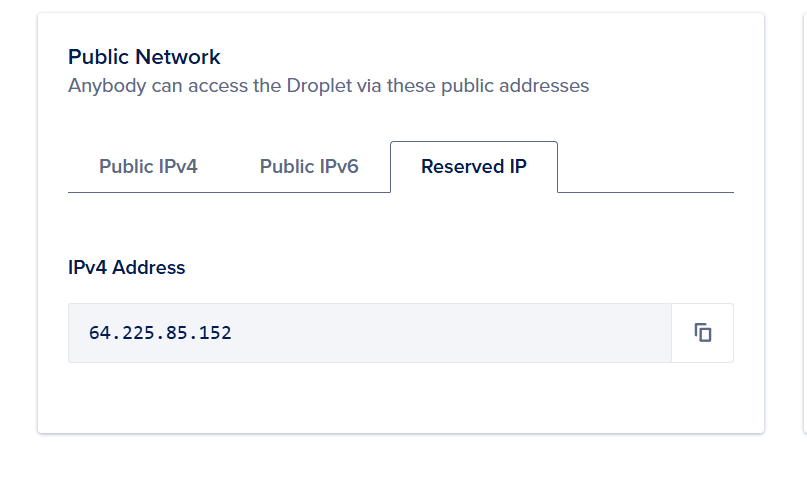
Now everything is fine but the server appears blank
Let us make 2 changes
- Create a new server and increase the server capacity, (this is a main reason if screen goes black)
- after new server, lets us use Public IPV4… and reserved ip in dhan static ip setting
1 Like
sometimes it does not recognised reserved ip, so we need to put public ipv4 and reserved ip both of them