Hi,
I want my algo to detect signals from a custom paid indicator in MT5 and use them as entry confirmations. Since I don’t have access to the indicator’s internal logic, I can’t recreate it in Python. After researching, I found that this might be possible using MQL5 Expert Advisor to detect signals and send them to Python. However, I haven’t been able to set this up successfully. Could you help me with this?
I also want to achieve the same for a custom TradingView indicator, but the only method seems to be using alerts and webhooks. Since I have a free TradingView account with a limit of only two alerts, manually setting alerts defeats the purpose of full automation.
Can you help me find a better solution to automate this process?
Thanks
Hello @Abhishek
Automating Signal Detection from Custom Indicators in MT5 & TradingView to Python
Yes, it is possible to automate the detection of signals from a custom paid indicator in MT5 and send them to Python for further processing or trade execution. Similarly, for TradingView, while webhooks and alerts are the standard methods, there are potential workarounds for full automation.
1. Checking Feasibility: Can an EA Detect Signals from a Custom Indicator?
Before setting up full automation, we need to verify whether an MQL5 Expert Advisor (EA) can access the signal values of the custom paid indicator. This depends on:
- Does the indicator store values in buffers? If yes, we can fetch them using
iCustom().
- Does the indicator only plot visual elements? If it doesn’t have buffers, it may be difficult to extract signals programmatically.
- Does the indicator repaint? If signals change after a few candles, it could affect automation reliability.
2. Testing With a Similar Indicator
To confirm whether the EA can fetch signals, please provide:
- The name of the paid indicator (or a free/public indicator with similar logic).
- Expected signal conditions (e.g., crossover, arrow signals, trend confirmation).
If you don’t have a free equivalent, we can test using standard MT5 indicators like:
- Moving Average Crossover (
iMA) – for trend-based indicators.
- MACD (
iMACD) – for momentum-based signals.
- Fractals (
iFractals) – for reversal-based indicators.
Once we confirm that the EA can detect signals, we can proceed with automation.
3. TradingView Automation: TradingView Plan Consideration
Since TradingView limits free accounts to two alerts, if full automation is required, we will need to upgrade the TradingView plan to a paid version that allows unlimited alerts. This is the only reliable long-term solution for automated TradingView-based trading.
Let’s first confirm if an EA can read signals from the custom MT5 indicator before moving forward with TradingView automation.
Hi Shubham,
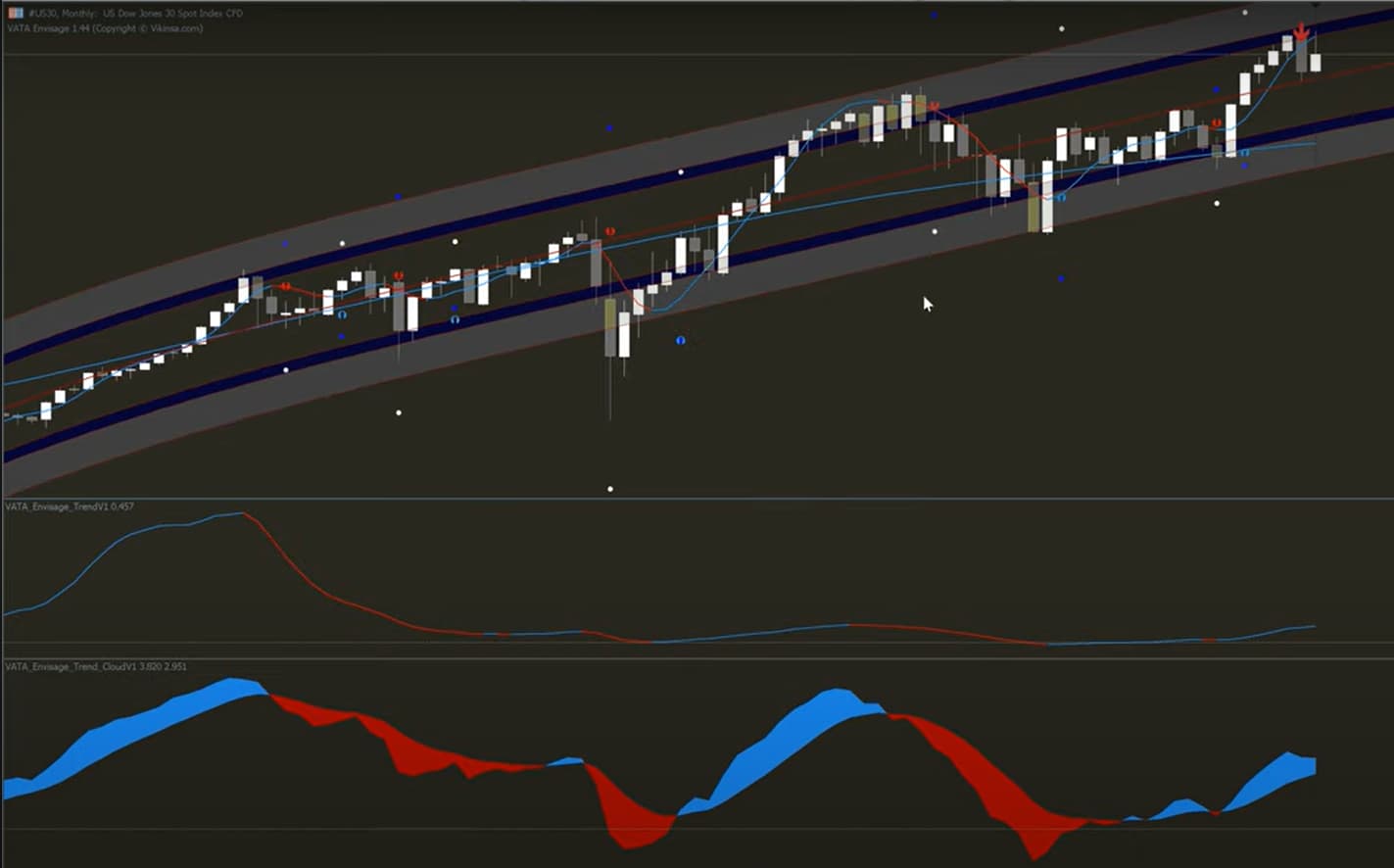
Thanks for your response. The indicator I want my algo to detect is VATA Envisage—a paid indicator (image attached). It consists of multiple components, including:
- 3 dynamic trend lines
- Trend cloud
- A dynamic channel with 2 zones
- 4 dots indicating buy/sell signals, profits, and targets
The past signals remain visible on the chart, but I’m unsure whether the indicator stores values in buffers or just plots visual elements. To test, we might need to try this with multiple indicators.
Since the indicator is quite expensive, I plan to purchase it only after confirming that my algo can successfully read its values. Could you help me figure out how to achieve this?
Thanks!
Hi Shubham, any updates on this?
Hello @Abhishek
Before testing the indicator, we cannot determine its usefulness for automated trading or how it can be applied.